Approving and rejecting tasks
Applies to 1.6 updatedWhen a task reaches the Awaiting approval status, it’s waiting to be reviewed. Only an admin or parent decides on it — in practice this is always a child’s work, because a task assigned to an adult never passes through this status at all.
Where to find a task to approve
Nestino has no inbox or badge for pending approvals. Open Tasks and use the Status filter to pick Awaiting approval, or open the task directly from the list. On the task page, the Approve and Reject buttons appear below the detail, above Status history.
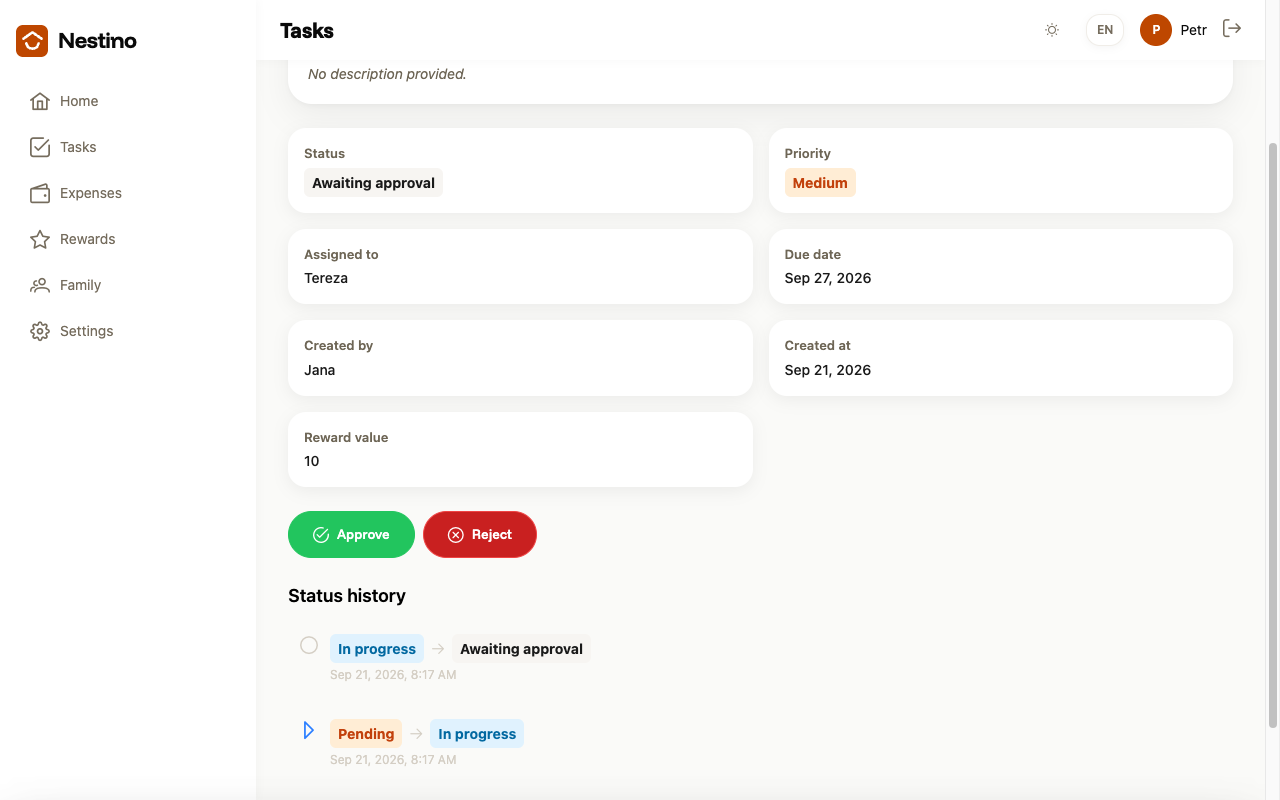
Who sees the buttons
| Role | Own task | Someone else’s task |
|---|---|---|
| Admin, parent | Approve · Reject | Approve · Reject |
| Child | (no action) | (no action) |
A child doesn’t see the buttons even on their own task — any admin or parent in the family can approve it, not necessarily the one who created it.
Approving
- Click Approve.
The task immediately moves to the Completed status, the buttons disappear and a green confirmation appears. A new Awaiting approval → Completed line is added to Status history.
Rejecting
- Click Reject.
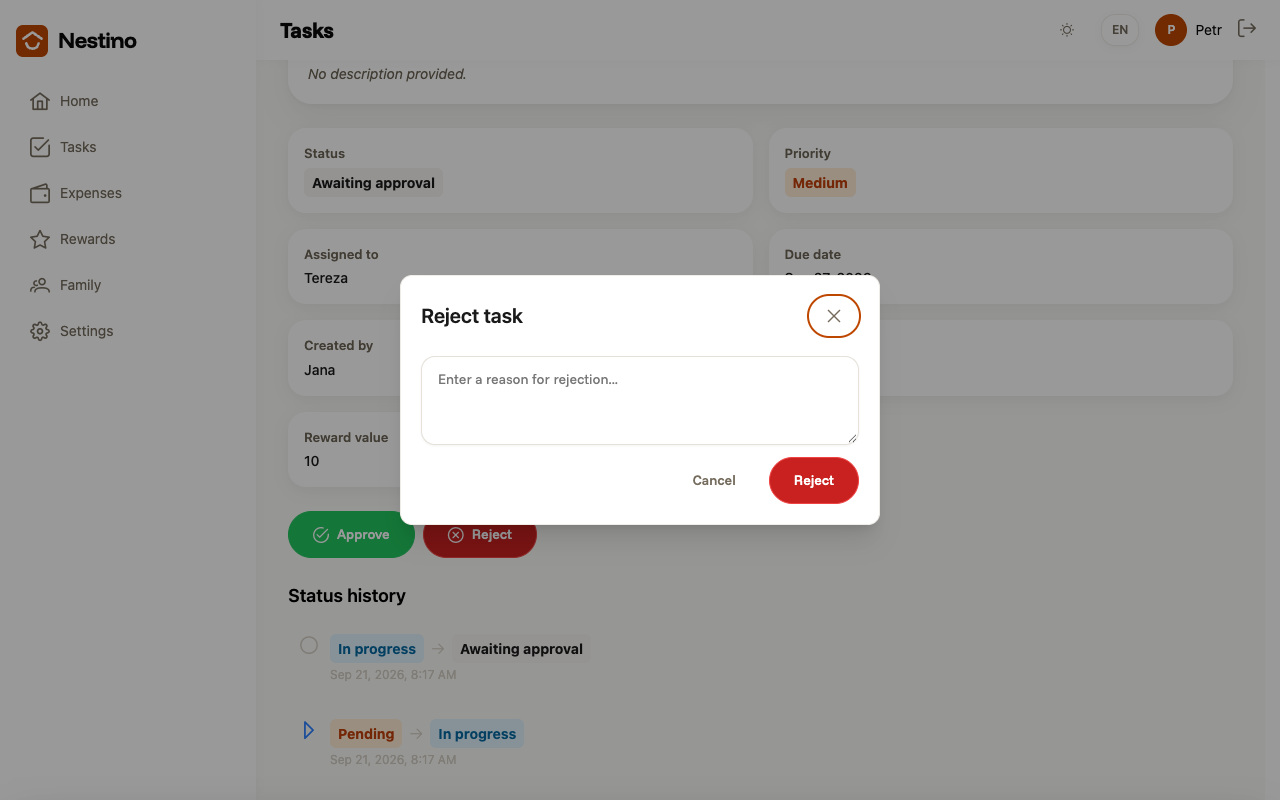
- The Reject task modal opens, with an optional text field for the reason and the placeholder “Enter a reason for rejection…”.
- Fill in the reason, or leave the field empty, and confirm with the red Reject button. The × or Cancel closes the modal without any change.
The task goes back to the Pending status — not to any “rejected” status, since none exists in the app. It stays assigned to the same person, so they can click Start on it again. No points move in either direction, because points are only credited on approval, which never happened.
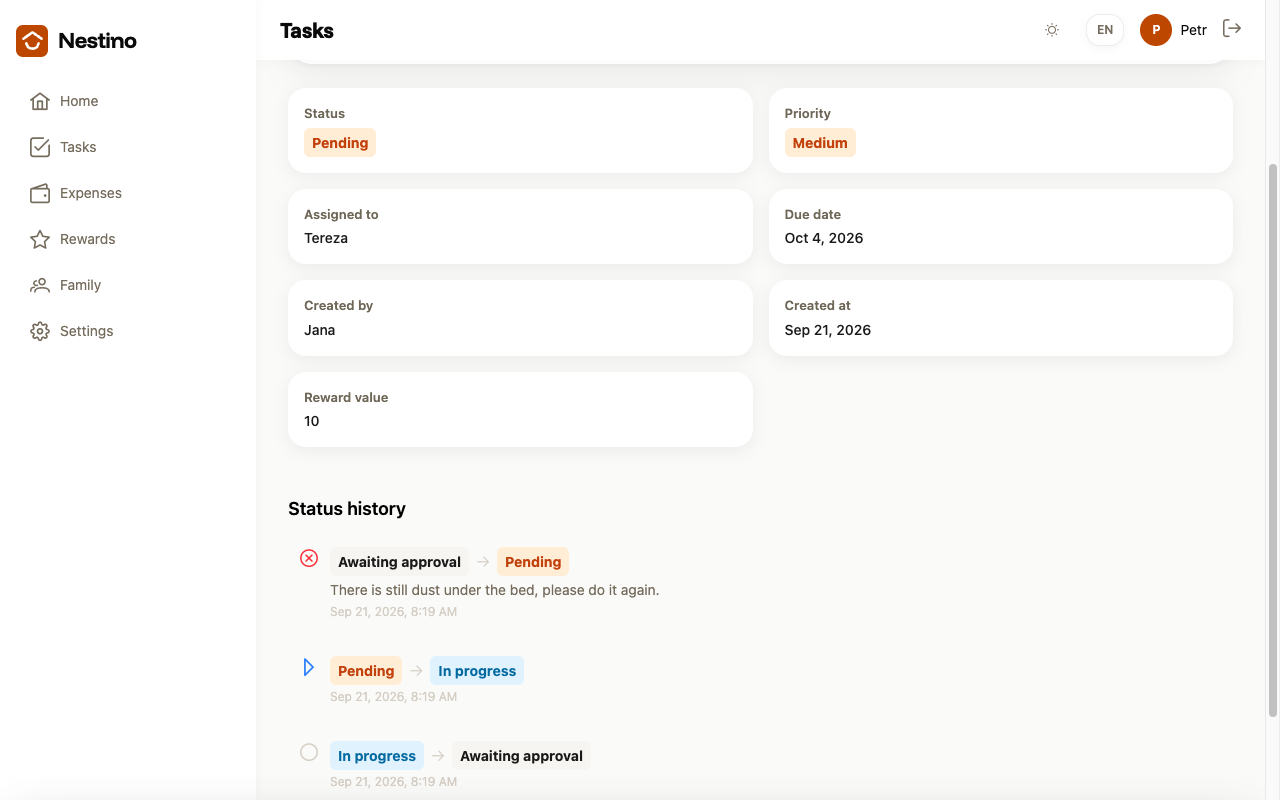
At first glance it therefore looks the same as a task nobody has started yet — both carry the Pending pill. You can only tell them apart by Status history.
Outside the Awaiting approval status, neither Approve nor Reject is ever offered — in the Pending, In progress and Completed statuses, an admin or parent sees at most Edit task and Delete task.
Details of the status transitions themselves, and of when completion by an adult credits points, are covered in Task lifecycle.