Export and account deletion
Applies to 1.6 updatedThe Danger zone in Settings covers two irreversible actions: requesting a copy of your data and deleting your account. Only adults can open the page — a child can’t reach it, and Nestino redirects them to the dashboard.
Where to find it
- Open Settings in the main navigation.
- Select Danger zone in the left panel.
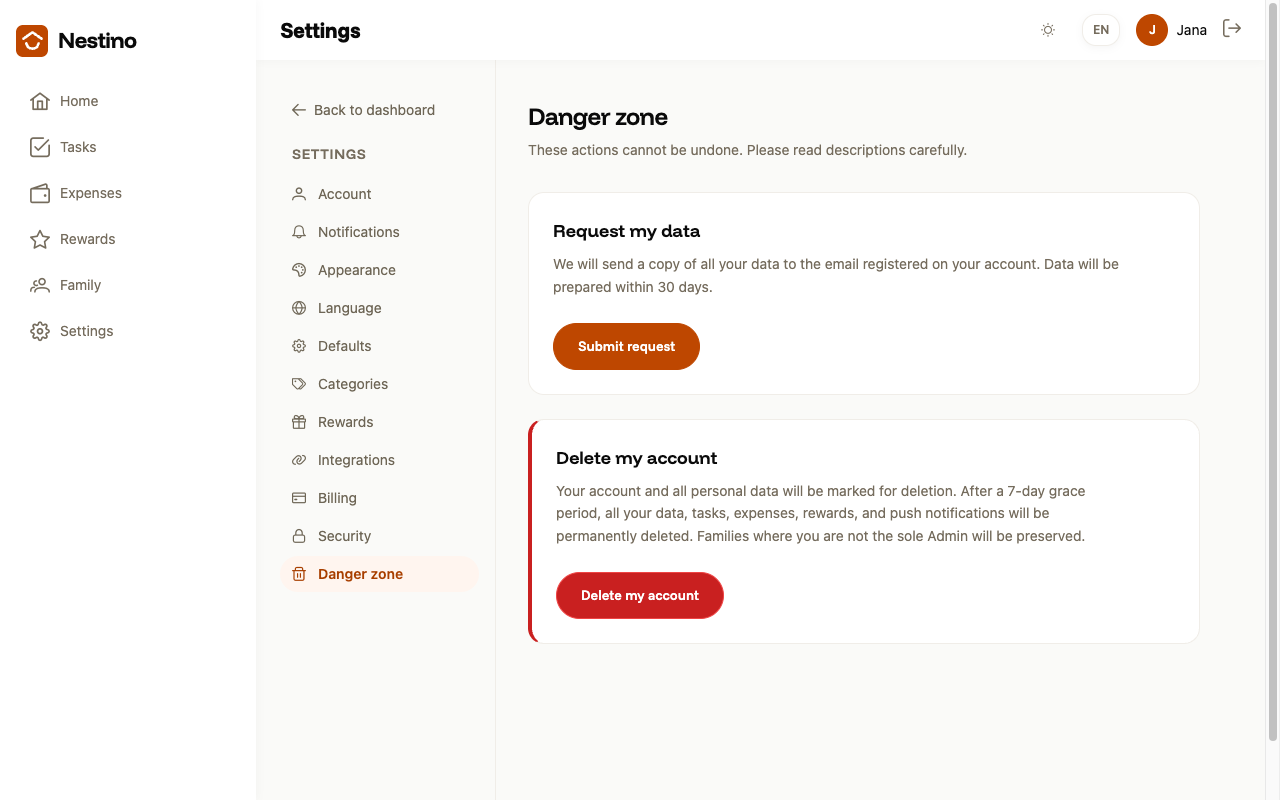
- You’ll see two cards: Request my data and Delete my account.
How to request your data
Click Submit request. This logs your request — nothing else happens at that moment. Nestino states on the card that it will send a copy of all your data to the email registered on your account, and that the data will be ready within 30 days. You won’t find a button anywhere in the app to download a file, because no file is generated inside it.
How to delete your account
- On the Delete my account card, click the button of the same name.
- In the dialog, enter your password and type the word
DELETEexactly, in capital letters, into the field — otherwise the Permanently delete button stays disabled. - Click Permanently delete.
| Step | What you need | What happens |
|---|---|---|
| Data request | Nothing extra | The request is logged; per Nestino, you’ll receive a copy of your data by email within 30 days |
| Account deletion | Password and the typed word DELETE | Seven-day grace period, then permanent deletion |
When it isn’t possible
If you’re the sole Admin of a family that has other members, the deletion stops. Instead, Nestino shows the message “Cannot delete account”, noting that you’re the sole Admin of that family, along with a link to Family members. Hand over the Admin role first, following Roles and permissions — who can do what — only then will the deletion go through.
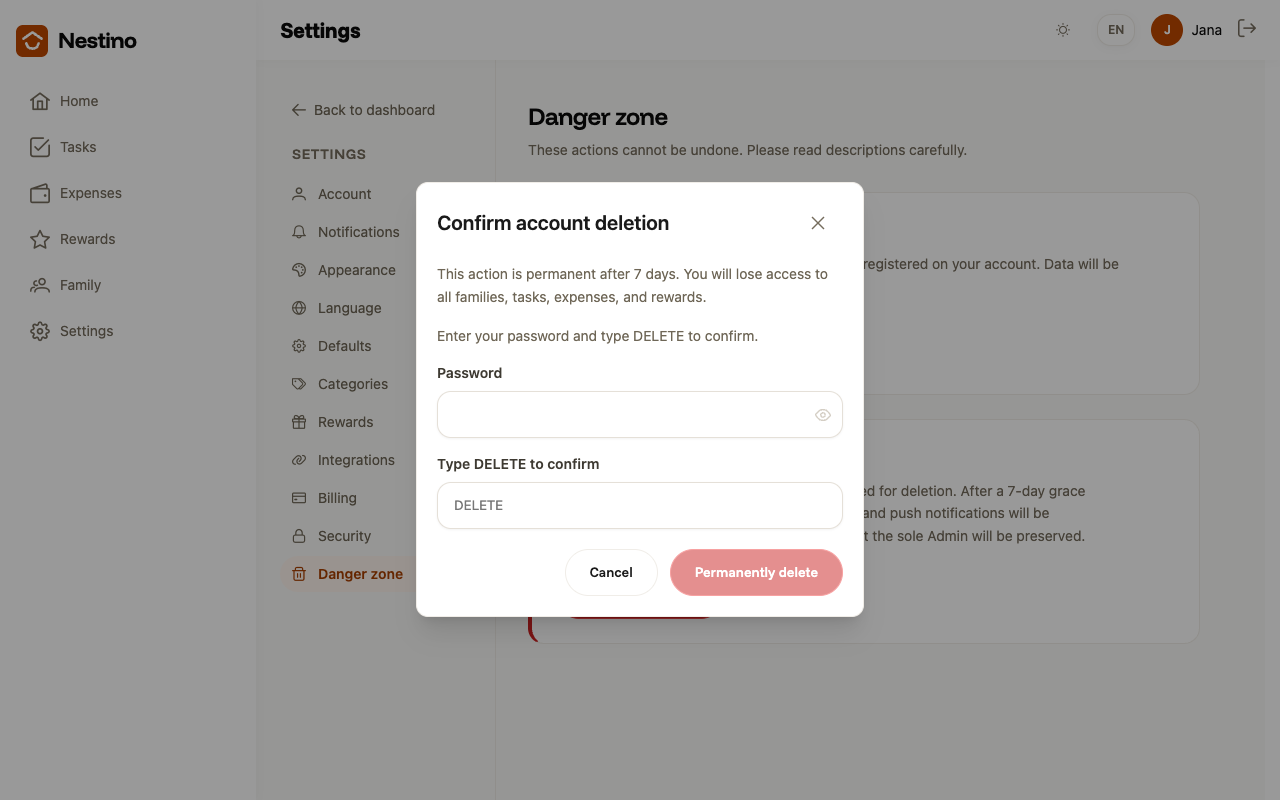
An incorrect password doesn’t close the dialog — it just shows “Incorrect password.” below the field. Families where you’re not the sole Admin remain intact after the deletion.
What a child can do
A child can’t perform either of these two actions — the app rejects both requests and asks them to have a parent do it instead. The same restriction applies to Changing your password and signing out everywhere.