Default point values by difficulty
Applies to 1.6 updatedDefault point values are a table of three guideline numbers — how many points to typically give for a quick, regular and major chore. The family sets it up in one place and then sticks to it, so everyone measures rewards by the same scale. It can be set by admins and parents.
Where to find the table
- Open Settings in the main navigation.
- Choose Rewards in the menu.
- Three cards appear, one for each difficulty level.
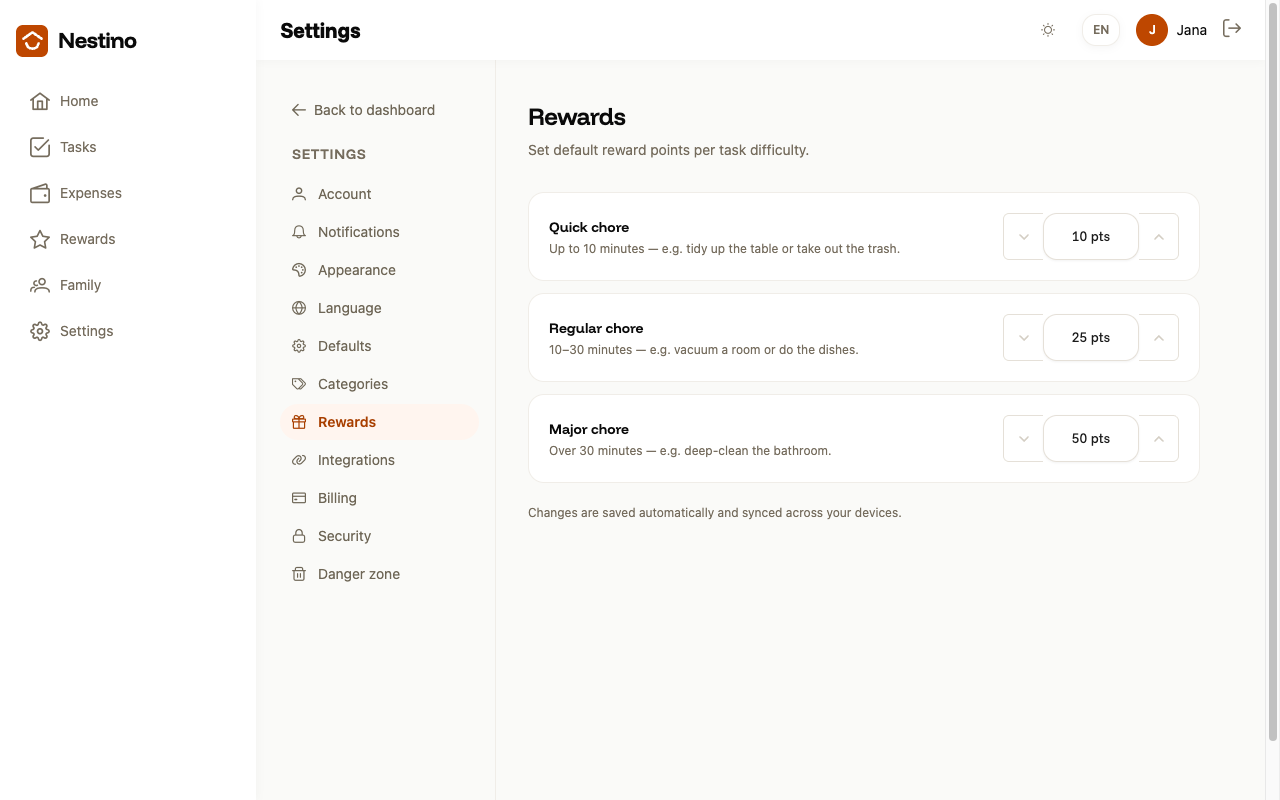
The three difficulty levels
| Level | When to use it | Default value |
|---|---|---|
| Quick chore | Up to 10 minutes — e.g. tidy up the table or take out the trash. | 10 pts |
| Regular chore | 10–30 minutes — e.g. vacuum a room or do the dishes. | 25 pts |
| Major chore | Over 30 minutes — e.g. deep-clean the bathroom. | 50 pts |
Until you change the numbers yourself, you see these default values — they are not numbers the family has ever set for you.
How the numbers are saved
Each card has a stepper with − and + buttons in steps of five points, or you can type the number directly. The range is 0 to 9999.
The form has no Save button. As soon as you leave a field, Nestino sends and saves all three values at once and shows Reward points saved. If you leave a field without changing it, nothing happens. While saving, the hint under the cards is replaced by Saving…. If the save fails, the field reverts to its previous value and Couldn’t save reward points. Please try again. appears.
What the task form does with the number
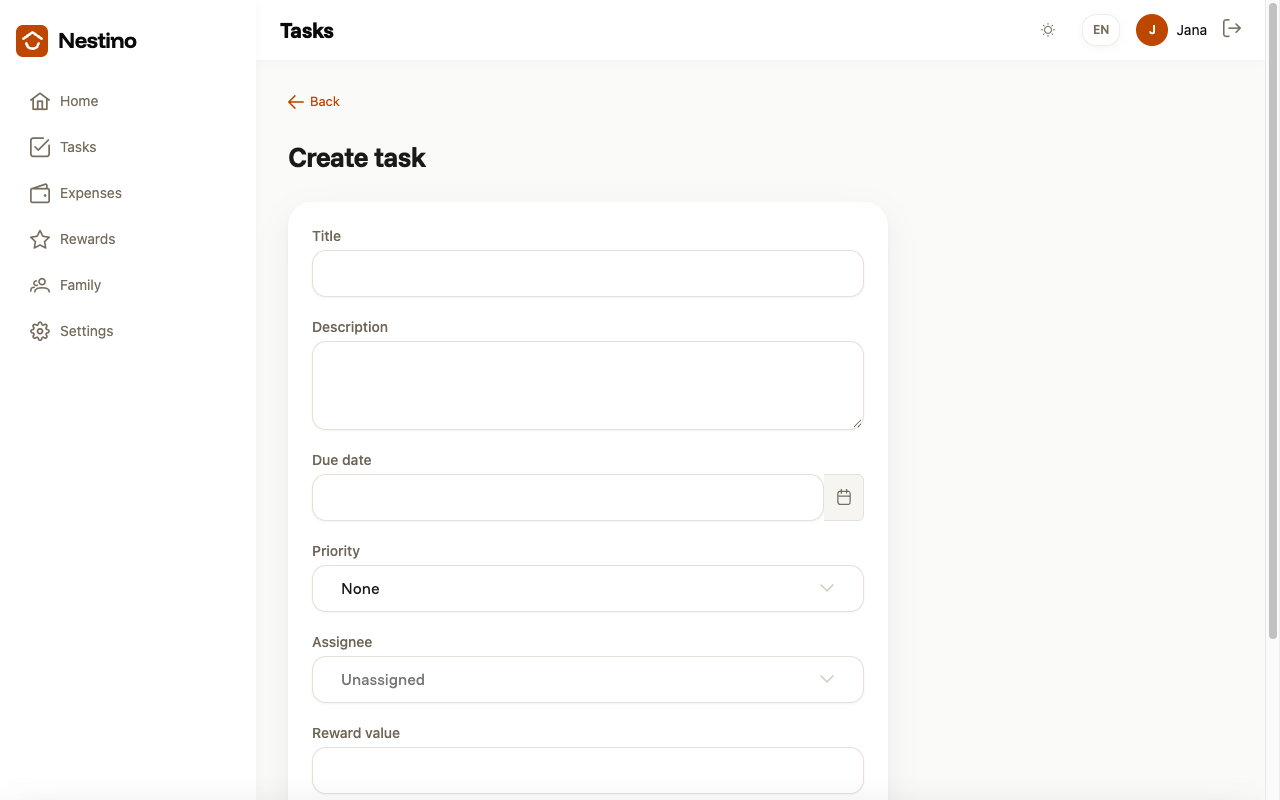
Whether the Reward value field appears in the form at all depends on the family’s reward mode — see Reward modes: none, points, currency. The points a task brings once approved are then added up and adjusted, as described in How points are earned and adjusted.