Welcome to Nestino — what the app does
Applies to 1.6 updatedNestino is a family app for planning tasks and tracking expenses. Once you sign in, everyone finds the same places regardless of role — admin, parent, child, member and guest all move through the same navigation; only what each of them sees and is allowed to do differs.
Where you move around the app
On a computer the left sidebar guides you; on mobile it’s the bottom bar and the More sheet.
| Item | Where it goes | Who sees it |
|---|---|---|
| Home | Dashboard — household overview | everyone |
| Tasks / My tasks | Task list | everyone; a child sees only tasks assigned to them |
| Expenses | Expense list and overview | everyone; a child sees only their own expenses |
| Calendar | Task due dates and upcoming recurring payments | everyone; a child sees only their own tasks |
| Rewards / My rewards | Points and rewards | everyone |
| Family | Members, roles, family code | everyone except a child |
| Settings | Account, notifications, appearance and language | full for admins and parents, shortened for a child |
The dashboard after signing in
After signing in you always land on the Dashboard — a greeting based on the time of day, a hero card with three counters (Pending approvals, Open tasks, Family members), three smaller tiles, and rows for open tasks, this month’s expenses and member points.
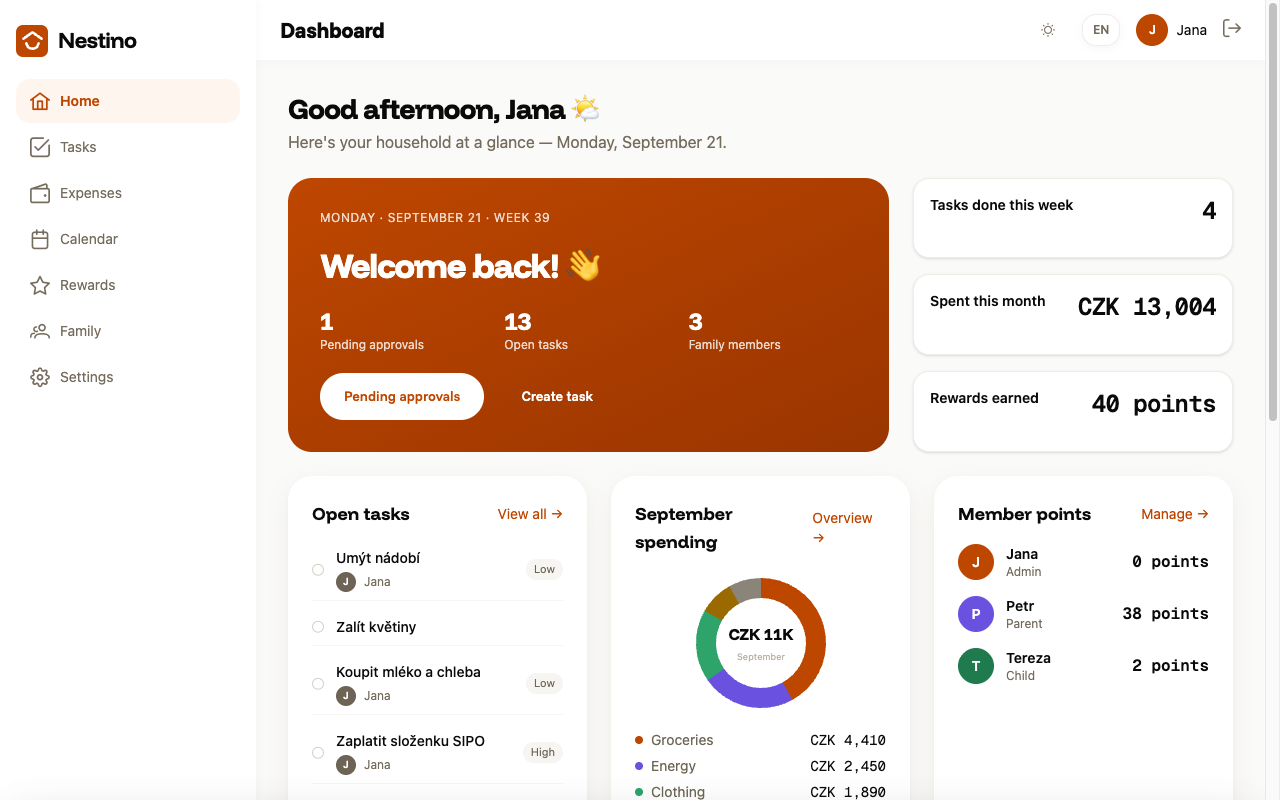
What the individual numbers mean is described in The dashboard: what it shows.
Tasks and expenses at a glance
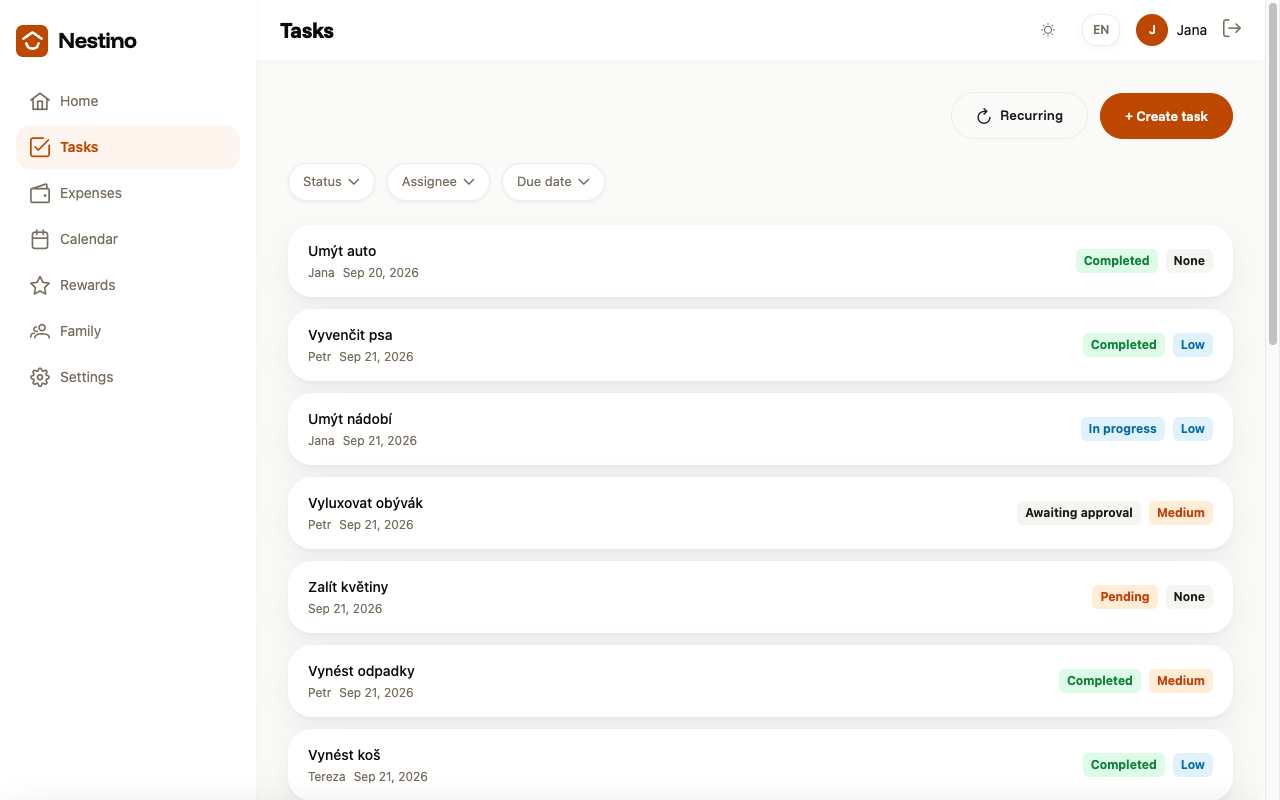
On Tasks you’ll find the Status, Assignee and Due date filters, a status and priority badge on every task, and (for admins and parents) a + Create task button.
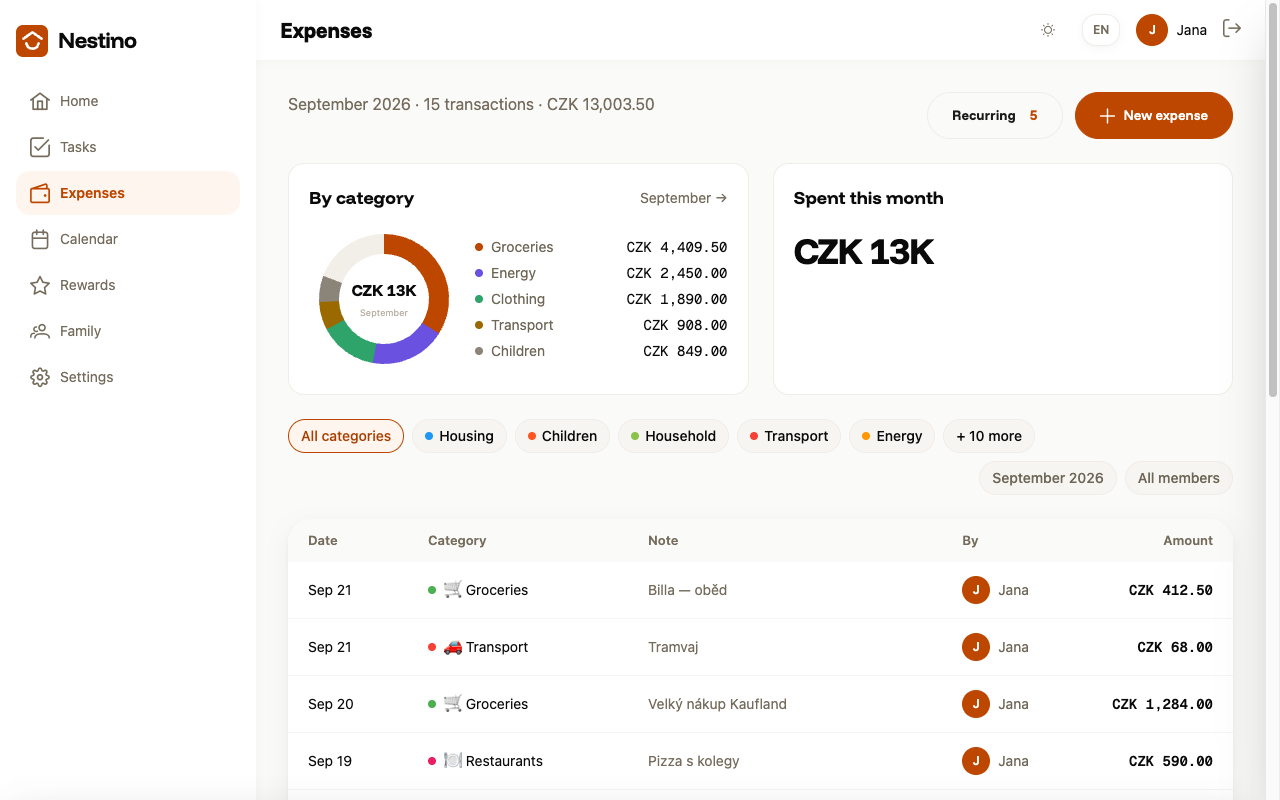
On Expenses you’ll see an overview by category, how much has been spent this month, a filter for categories and members, and a table of individual expenses.
Creating your first task is described in Creating and assigning a task.
What a child sees differently
What’s next
How to register with Nestino for the first time and go through the onboarding wizard is described in First run: the setup wizard. How an adult signs in versus how a child signs in with the family code is covered in Signing in — adult vs. child.