Logging an expense
Applies to 1.6 updatedAn expense records how much the family spent, what it was for, and in which category. Any family member except a guest can log one — that means admin, parent, member and child.
Where you log an expense
- Open Expenses in the main navigation.
- Click New expense in the top right. If you have no expenses yet, the same button also sits in the empty list.
- The form opens as a side panel (on mobile it slides up from the bottom).
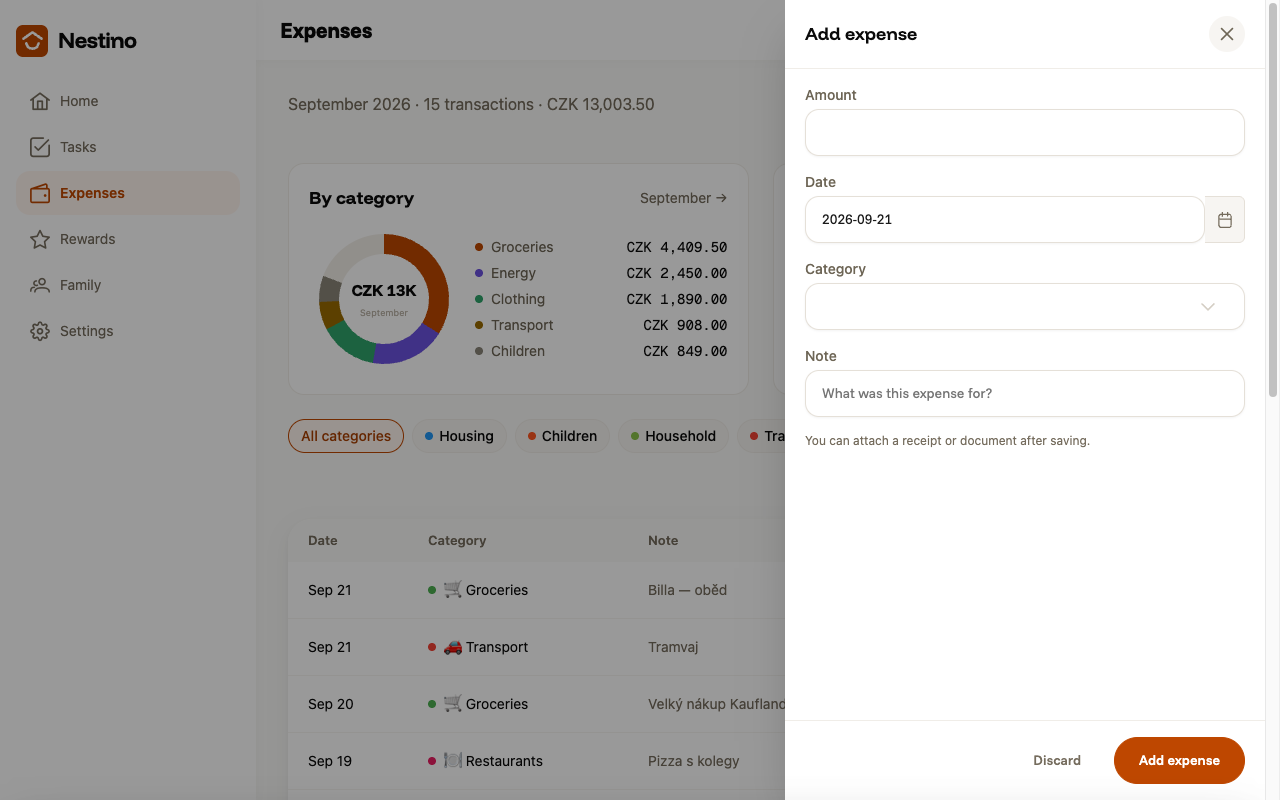
The same form, just pre-filled, also opens when you click an existing expense and then Edit expense.
What to fill in
| Field | Required | What it means |
|---|---|---|
| Amount | yes, greater than zero | How much you paid. Enter decimals with a point, not a comma (for example 12.50). |
| Date | yes | Defaults to today, but you can change it through the date picker. |
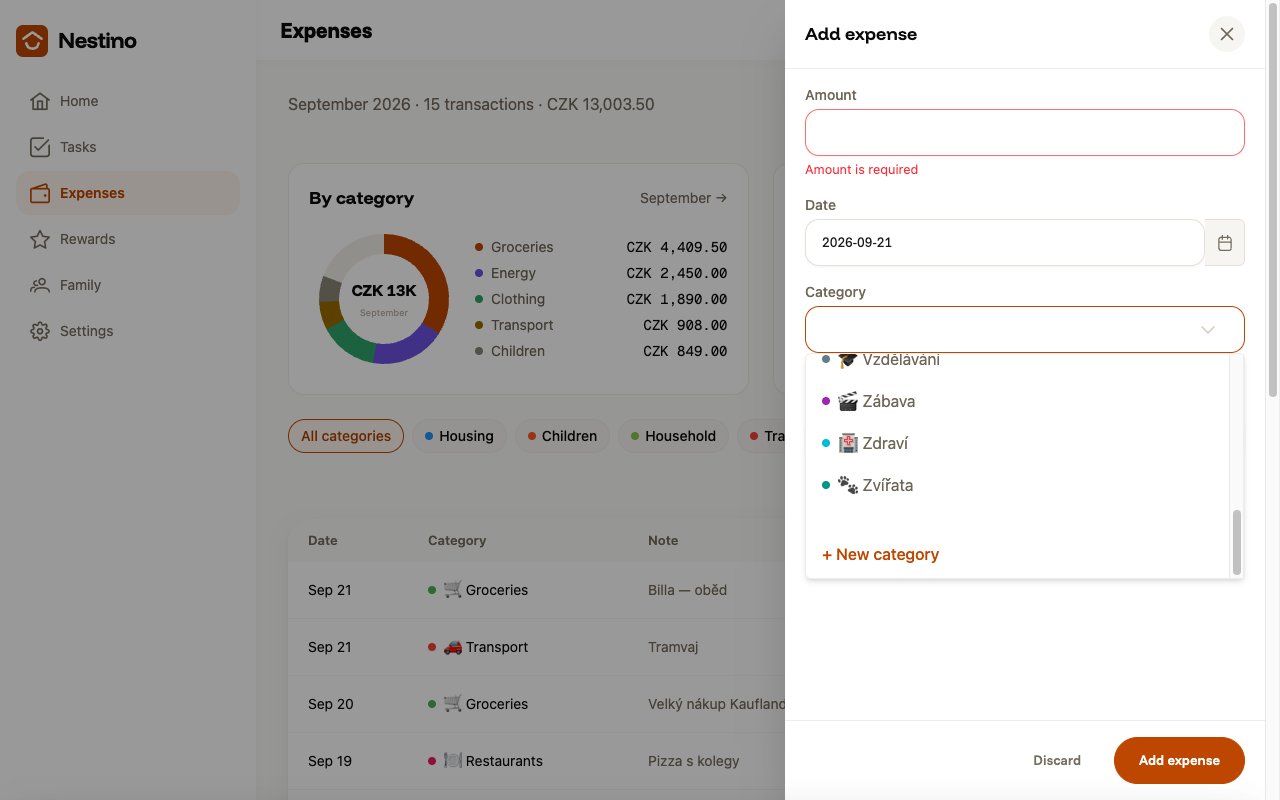
| Category | yes | One of the family’s preset or custom categories, sorted alphabetically. |
| Note | no | What the expense was for, up to 255 characters. |
The empty form refuses to save, showing “Amount is required” and “Please select a category” right under the fields.
Who can log an expense
Admin, parent, member and child can all add an expense — only a guest can’t save one. Editing or deleting someone else’s expense, though, is only for an admin or a parent; a child can edit or delete only what they logged themselves.
What happens after saving
Clicking Add expense closes the panel, a “Expense added” confirmation appears, and the new expense is added to the list on the Expenses page. When editing an existing expense, saving shows “Expense updated” instead.
A logged expense also counts toward the monthly total and the by-category chart — see Monthly overview.
Deleting an expense
- Open the expense from the list.
- Click Delete expense.
- Confirm in the dialog with Delete, or click Keep it to leave the expense unchanged.
Deleting cannot be undone.